♣ Schedule & Results
♥ Standings
♠ Season Wins
♦ Monthly Leader
♣ Lifetime IRPs
♥ Lifetime Wins
♠ Award Winners
♦ Past Champions
♣ All-Americans
♥ Seasons Played
To participate in official ACC internet tournaments on GameColony, you must enter through the dedicated organization portal rooms. The sanctioned ACC lounge is hosted on a separate network branch and cannot be accessed via the standard GameColony public homepage. If it is your very first time playing here, please use the button on the left. Thereafter, you can use the red button. It is suggested that you bookmark it, or return to this page every time.
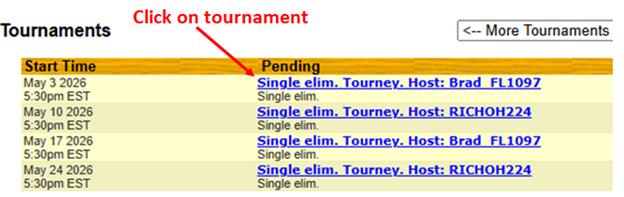
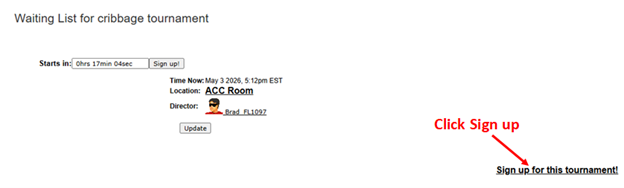
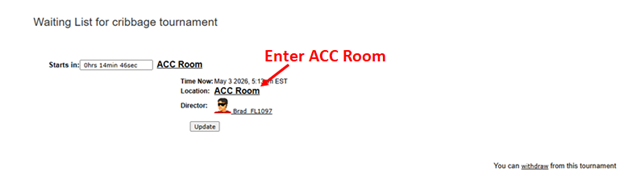
Once you navigate to the tournament area using the entry links above, complete your check-in sequence using these steps:
Desktop Registration Visual Reference Steps
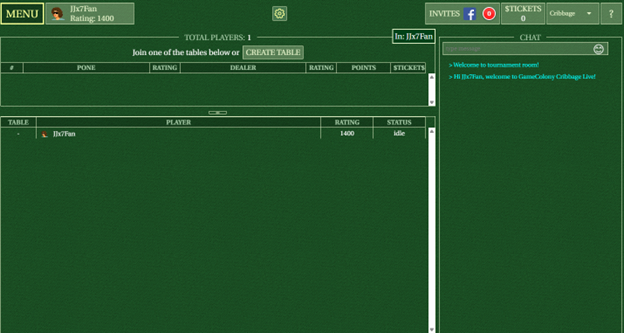
All tournament pairings and assignments broadcast directly into the main "Lobby" chat column. Either matched competitor is permitted to open the room table. Once round one concludes, do not launch or join an unassigned table until the Tournament Director (TD) prints the fresh bracket tier explicitly displaying your username in the chat layout.
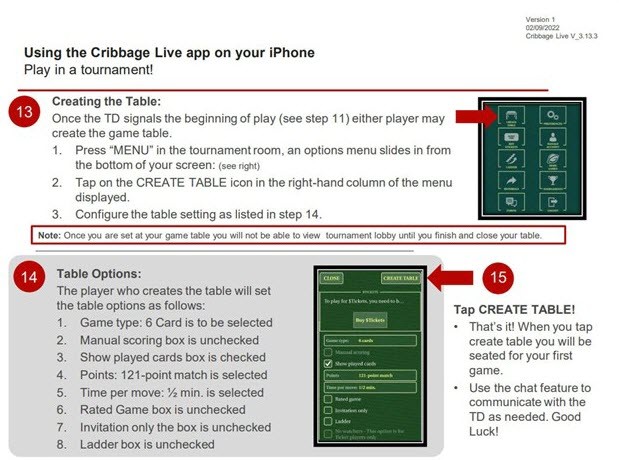
The host creating the match layout must manually ensure that the table is configured exactly to the following ACC sanctioned specifications before inviting their opponent:
The default factory configurations on GameColony do not let you alter cards once sent to the crib box. To activate discard protection toggles, you must apply this quick setting immediately after building your table:
To help the TD extract scores amidst heavy lobby chat traffic, winners must submit final match data following this precise syntax style:
Note: Including the four leading and trailing asterisks is mandatory so your report catches the TD's eye and doesn't get buried in general conversation.
All field byes are processed strictly within the first round of play. Determination of bye routing is computed fully at random by the site engine; Tournament Directors wield no manual override controls regarding bye distributions.
For extensive interface questions or account access help, check out the specialized support resources below:
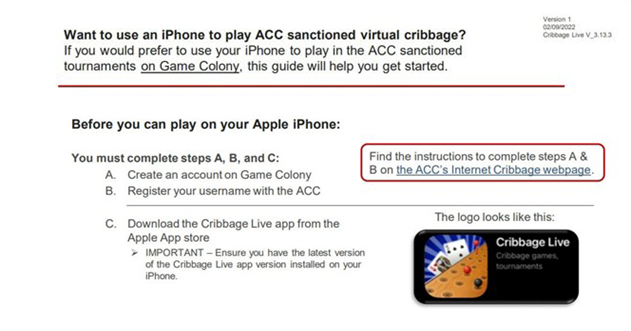
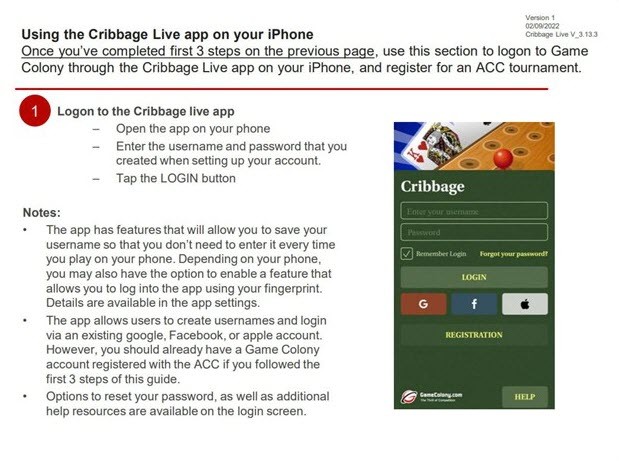
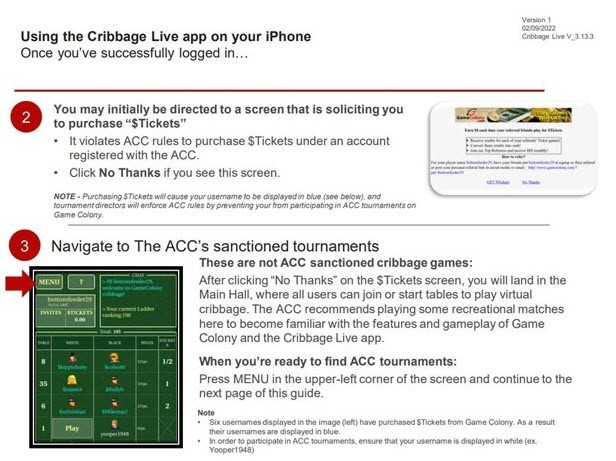
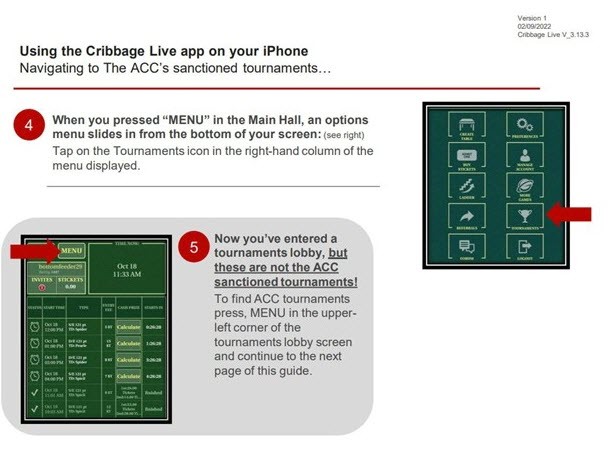
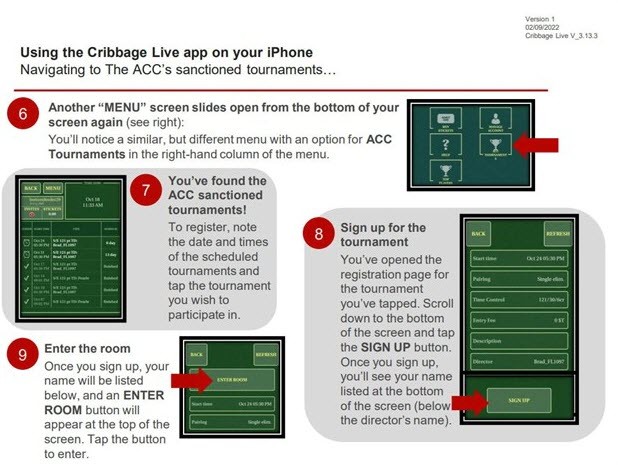
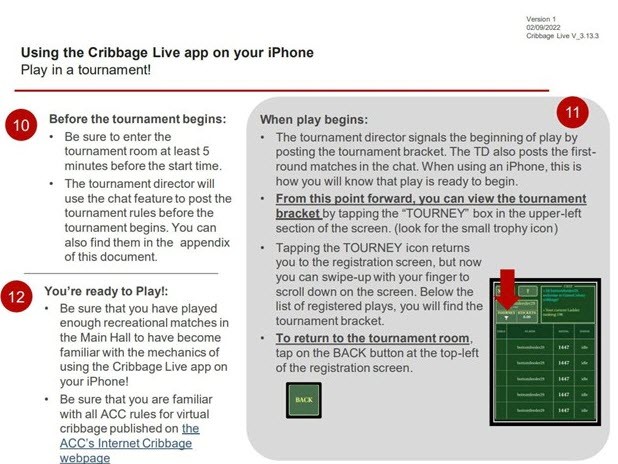
Mobile players accessing brackets through smartphones or tablets can follow along with this step-by-step visual configuration sequence:
iOS Interface Reference Walkthrough